
Service Principal Name is effectively a service account within Azure.
Required in this scenario for our Terraform Provider function to connect our TF code to our Azure Subscription.
- Login to https://portal.azure.com.
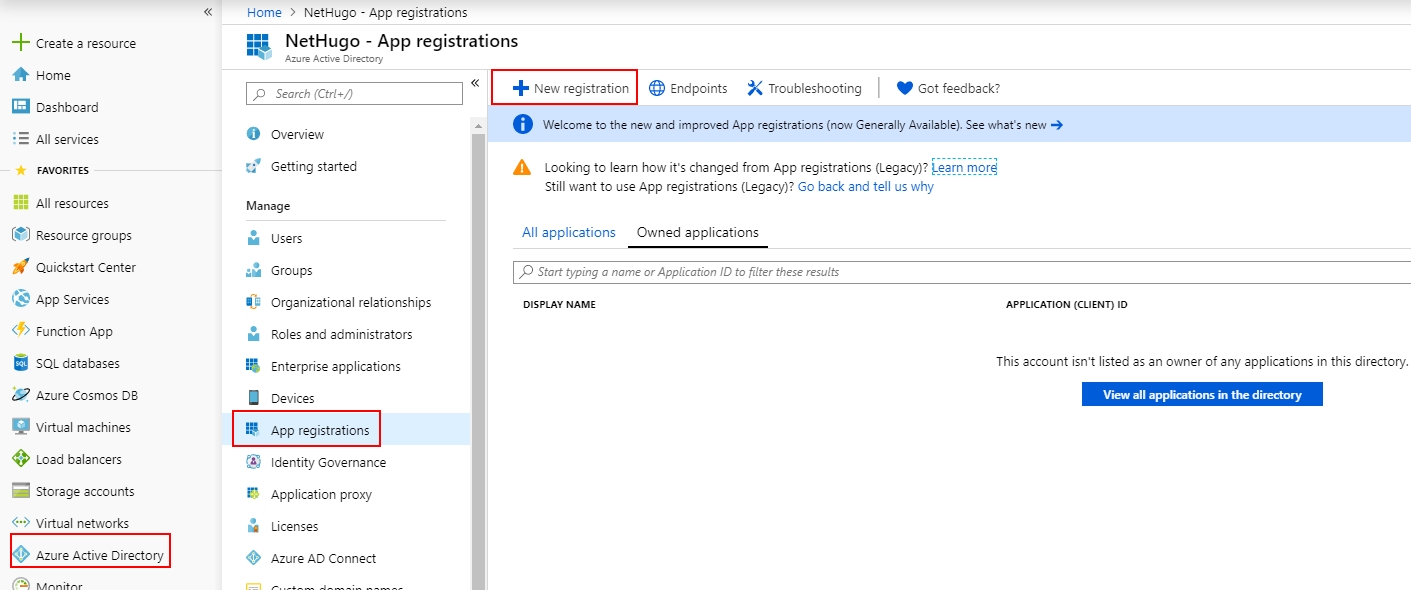
- Click into Azure Active Directory.
- Click App Registrations >+ New registration.
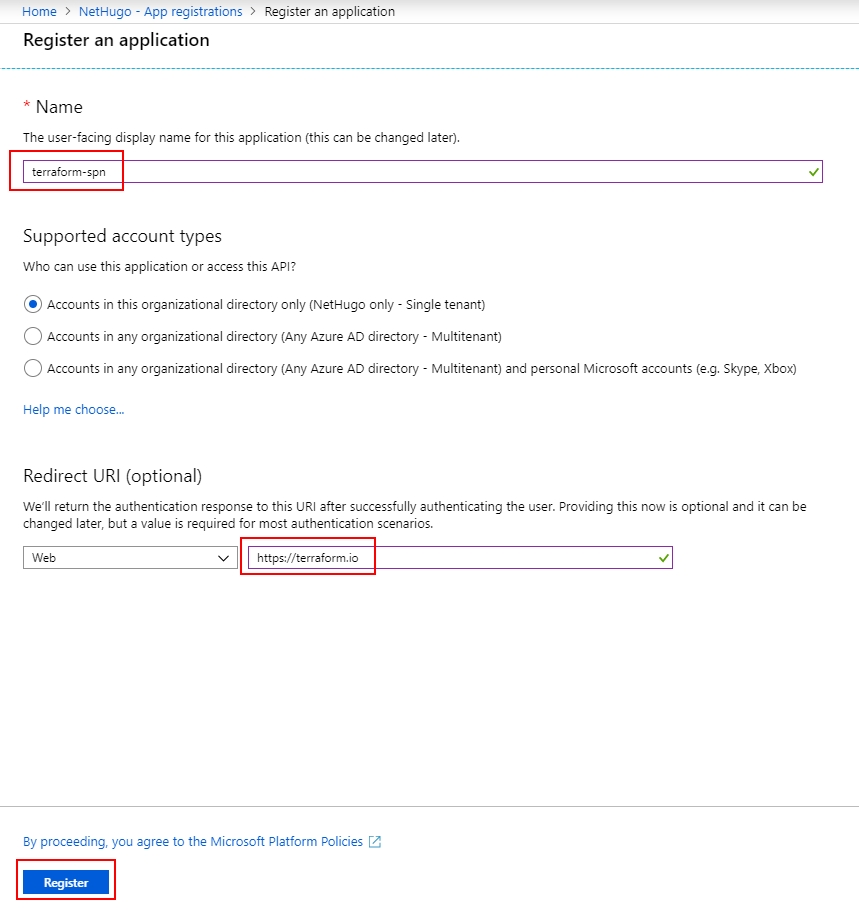
- Provide a name for your SPN ie. terraform-spn, provide any valid URL within Redirect URI.
- Click Register.
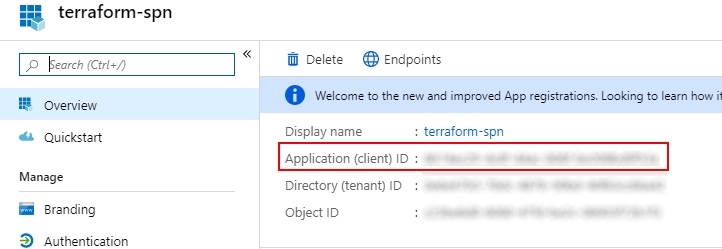
- We require 4x details of information in order to use Terraform;
- client_id; This is Azure Application ID.
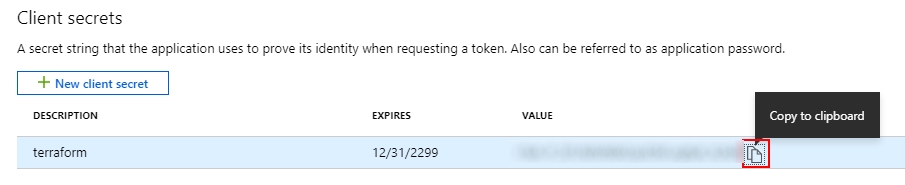
- client_secret; This is our SPN’s client secret key which we generate within Azure.
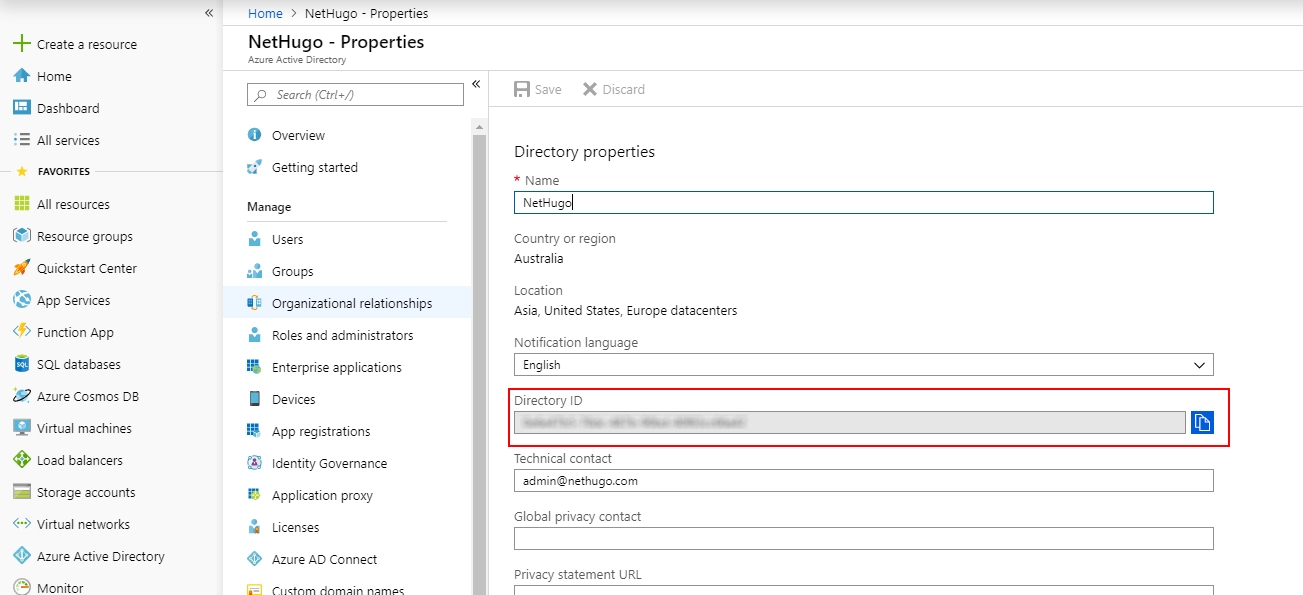
- tenant_id; This is Azure AD’s directory ID.
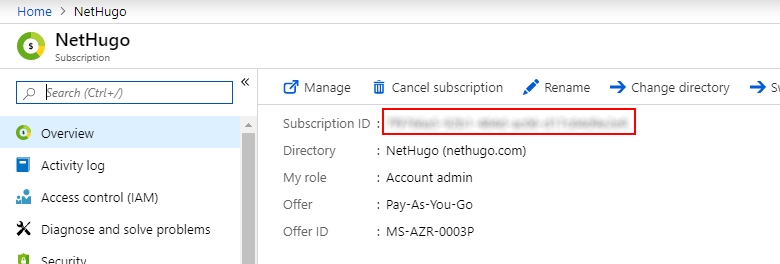
- subscription_id; This is our Azure Subscription ID.
- Application ID from our newly created SPN. In Terraform, this is client_id variable.
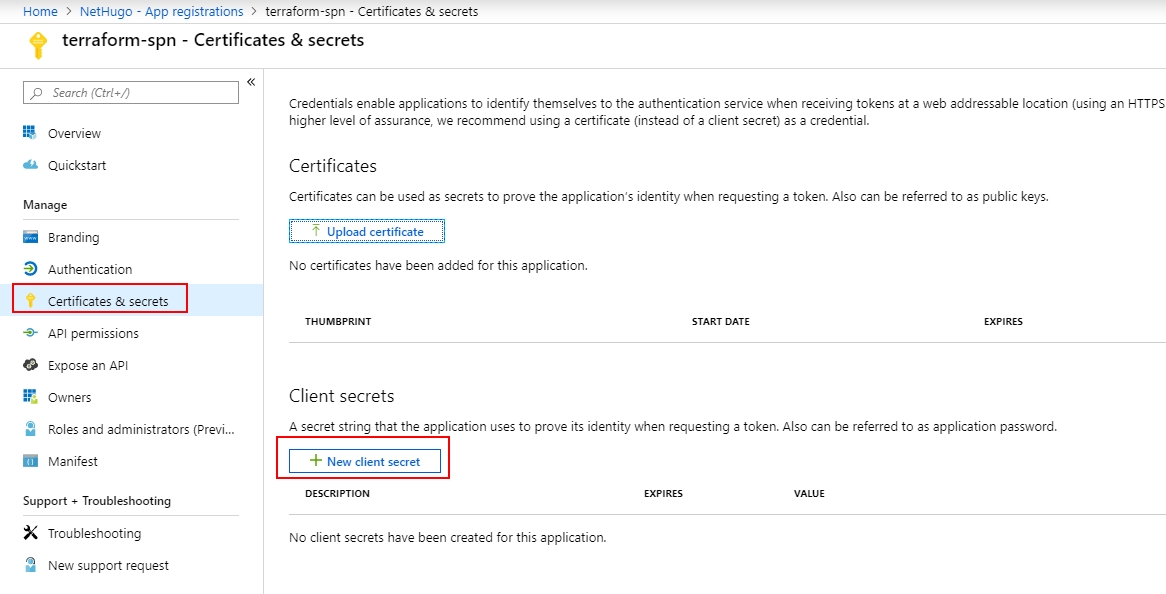
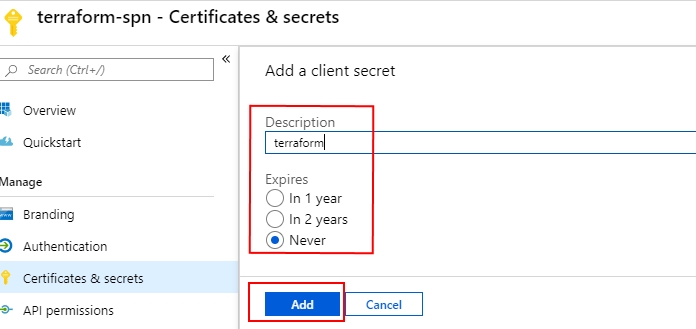
- Within our SPN blade, click Certificates & secrets > + New client secret.
- Provide a name and duration for secret. Click Add.
- Copy our newly created client secret string. In Terraform, this is client_secret variable.
- Click into Azure Active Directory > Properties.
- Copy the Directory ID string. In Terraform, this is tenant_id variable.
- Now go into Subscriptions > Overview and copy the Subscription ID. In Terraform, this is the subscription_id variable.
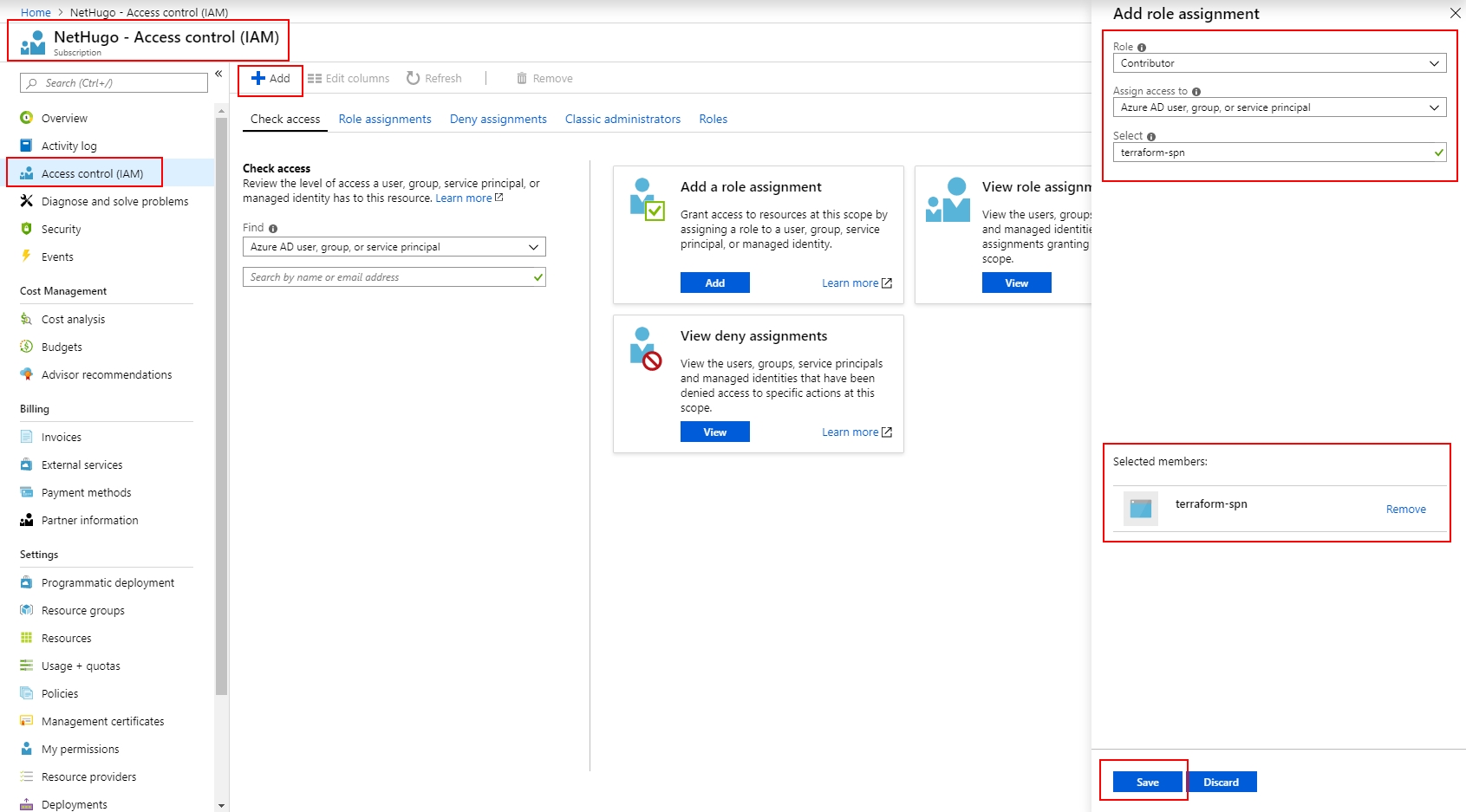
- Within Subscriptions > [Your Subscription] > Access control (IAM) > + Add > Add role assignment.
- Role: Contributor.
- Select our newly created SPN ie. terraform-spn and click Save.
Congratulations, we have now successfully configured an Azure SPN ready for use with Terraform!